
Description
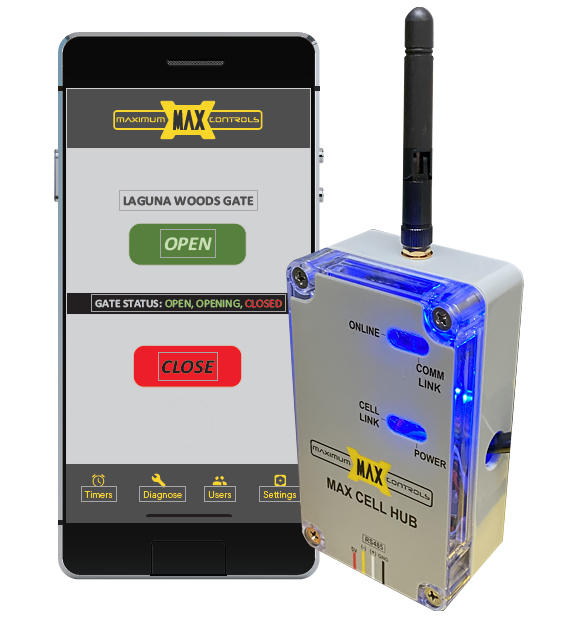
INTRODUCING MAXIMUM CONTROLS EXCITING NEW MAX CLOUD APP & MAX CELL HUB. THE CONCEPT THAT ENABLES THESE APPLICATIONS ARE THE VANGUARD OF THE NEXT GENERATION IN ACCESS CONTROL.
Cloud-based APP

- App-based access control integrated with
MAX gate operators - Reliable, low latency cloud-based app
- Real time security alerts
- Trackable keycodes and virtual transmitters
with time restrictions - EVENT LOG to track gate site events on App
- ERROR LOG to monitor and diagnose
gate operator issues remotely - Affordable cell data plans (AT&T or Verizon) for both residential and commercial
- No need for conventional large control box to manage access points
- Patent pending on multiple features
- Max Cell Hub works exclusively on Max operators (Max PRO series / Actuators)
- SIM card activated on MAX website link (customer info, IMEI #, payment method)
- Supports RS485 peripheral devices (Up to 16)
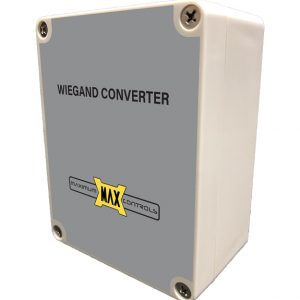
- Max Wiegand Converter (for card readers, radio receivers, transponders )
MAX CLOUD APP & MAX CELL HUB Specifications
These values come from the Maximum Controls Cell Hub setup guide (Rev. 10-03-23), the MAX Cloud App brochure and the 2025 catalog; where they differ, both are shown.
| Connection | Plugs into the Module Port of a Matrix III or DSP Arm board; mounts on the chassis with velcro or self-tapping screws |
|---|---|
| App exclusions | Not compatible with the Phantom F6 or 2000 Plus |
| Cellular service | AT&T or Verizon Hub models (brochure); multi-carrier SIM switching between AT&T, Verizon and T-Mobile (2025 catalog) |
| Data plans | 10 MB/month for residential or low-cycle commercial sites; 100 MB/month for high-usage commercial sites |
| Power loss | Works on battery backup |
| Access points | Up to 16, using MAX Keypads and/or MAX Wiegand Converters; up to 15 linked wirelessly at up to 1 mile |
| Wiegand devices | 26-bit card readers, radio receivers and RFID transponders; 3 Wiegand keycodes per user |
| Virtual transmitters | More than 10,000 |
| Error log | Last 20 errors; diagnostics show input voltage, current draw, gate position, date and time |
| Text alerts | Optional, to admin users on gate opening, gate tamper or safety sensor failure |
| Timer | 7-day auto open and close |
| App manual release | MAX 1200 FS PRO, MAX 1700 FS PRO and Rhino 4000 FS sliders; admin users only |
| Weak-signal antenna | DoorKing P/N 1514-014 high-gain 4G LTE directional antenna with a 6 ft extension cable |
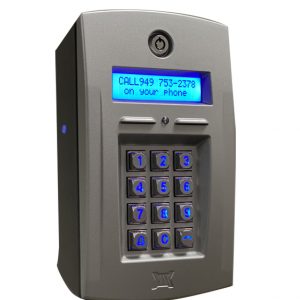
After plug-in, the Online LED should light within a minute and stay on for 10 to 15 minutes; a solid Cell Link LED means no signal. The guide lists metal-mesh gates, metal-reinforced walls and hills as signal blockers, worth checking at walled and hillside entries around Riverside and Corona. For visitor keycodes, pair the Hub with the MAX Keypad.
Reviews
There are no reviews yet.