

Electric Gate Stopped Working: A Homeowner’s Diagnosis Order
If your electric gate stopped working, trace power, the input you pressed, the monitored safety devices and the drive before blaming the motor. These parts sit in different places: the operator at the post, sensors in the opening, a loop under the slab, and the receiver and keypad elsewhere.
This is the long version. The five-minute pass, with none of the standards behind it, is our gate opener troubleshooting guide. What follows goes further: what UL 325 demands of your safety devices, why that turns particular symptoms into particular diagnoses, and where your half of the job ends.
Your Electric Gate Stopped Working: Start at the Power Path
Power comes first because it is the quickest thing to rule out. Find the operator’s breaker, then the ground-fault device protecting it: the outdoor receptacle it plugs into, reset with its button, or a GFCI breaker in the panel, reset with its handle, off then on. A GFCI trips on leakage current, not on load, so water standing in a receptacle, a damp connector on the pad, or a sprinkler head turned to spray the enclosure trips it with the gate standing perfectly still. If the board is lit and nothing moves, power has arrived.
If your operator carries a backup battery, suspect the battery before the board. Unlike a garage opener’s, it lives in an outdoor enclosure at the gate, baking through an Inland Empire summer, and heat shortens a battery’s service life. One at the end of that life still holds enough surface charge to light the board’s status LED, and still collapses below the low-voltage cutoff the instant the motor draws starting current, so the gate reports power and refuses to move. If the gate died in an outage and never came back with mains power, read the date stamped on the case.
What the Control Board LEDs Are Telling You
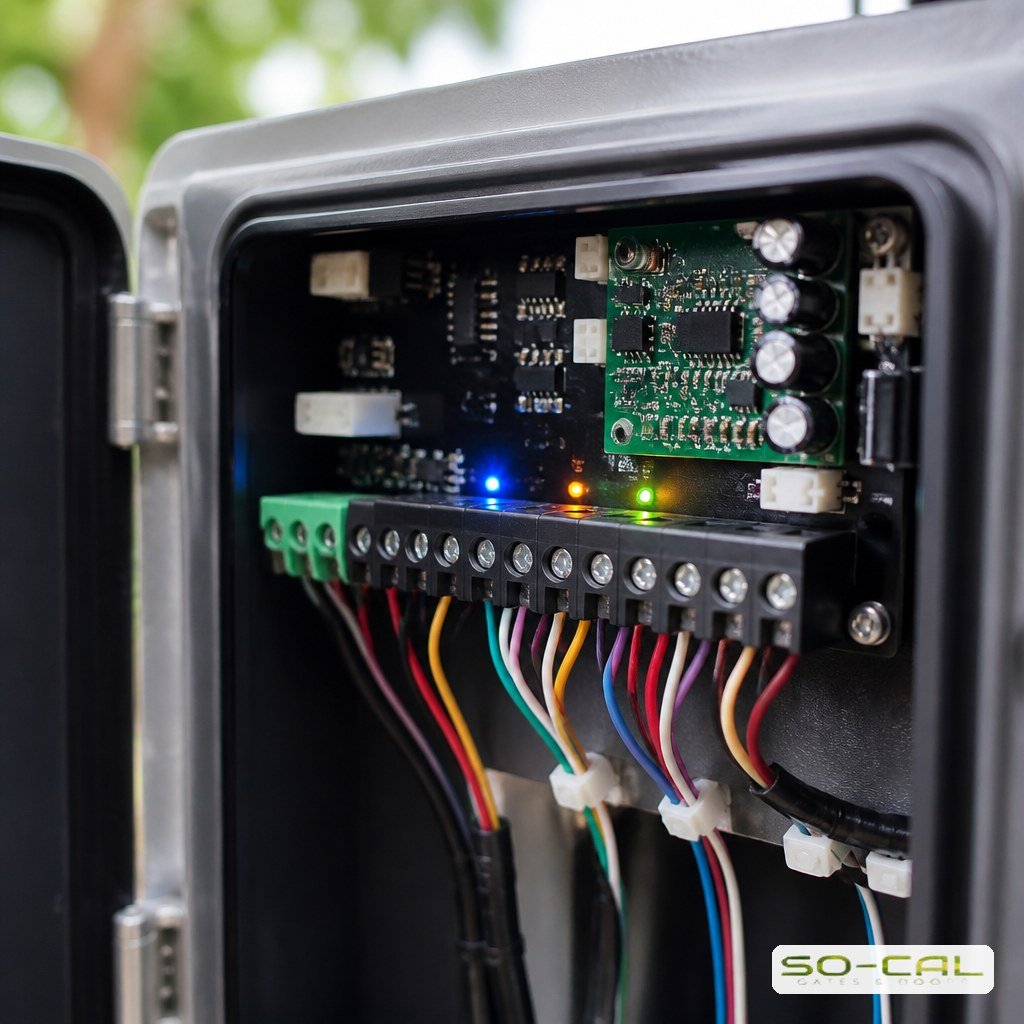
Open the low-voltage cover — the terminal strip and the thin colored wires — and leave the line-voltage compartment shut. The input LEDs beside that strip show which inputs are active, and what that looks like on a sensor varies by board and sometimes by mode: on some, a healthy eye sits dark and a lit LED means it has tripped. Read yours against the board’s legend or manual. Photograph the strip and any code on the display before touching a terminal.
The Gate Only Moves While You Hold the Button
A motor cannot tell a held button from a tapped one; the control board can. On an operator manufactured after 11 January 2016, every external entrapment protection device must be monitored, the operator checking at least once per cycle that it is present and free of an open or short circuit. If a device goes missing, its wiring faults, or a wireless signal is interrupted, the operator must then run only on constant pressure in the direction that device protects, or move only by hand. Hold-to-run therefore points first to a dropped safety device, not a failing motor — but the rule is not retroactive, so read the manufacture date on the operator’s label.
Why You Must Not Jumper the Sensor Terminals
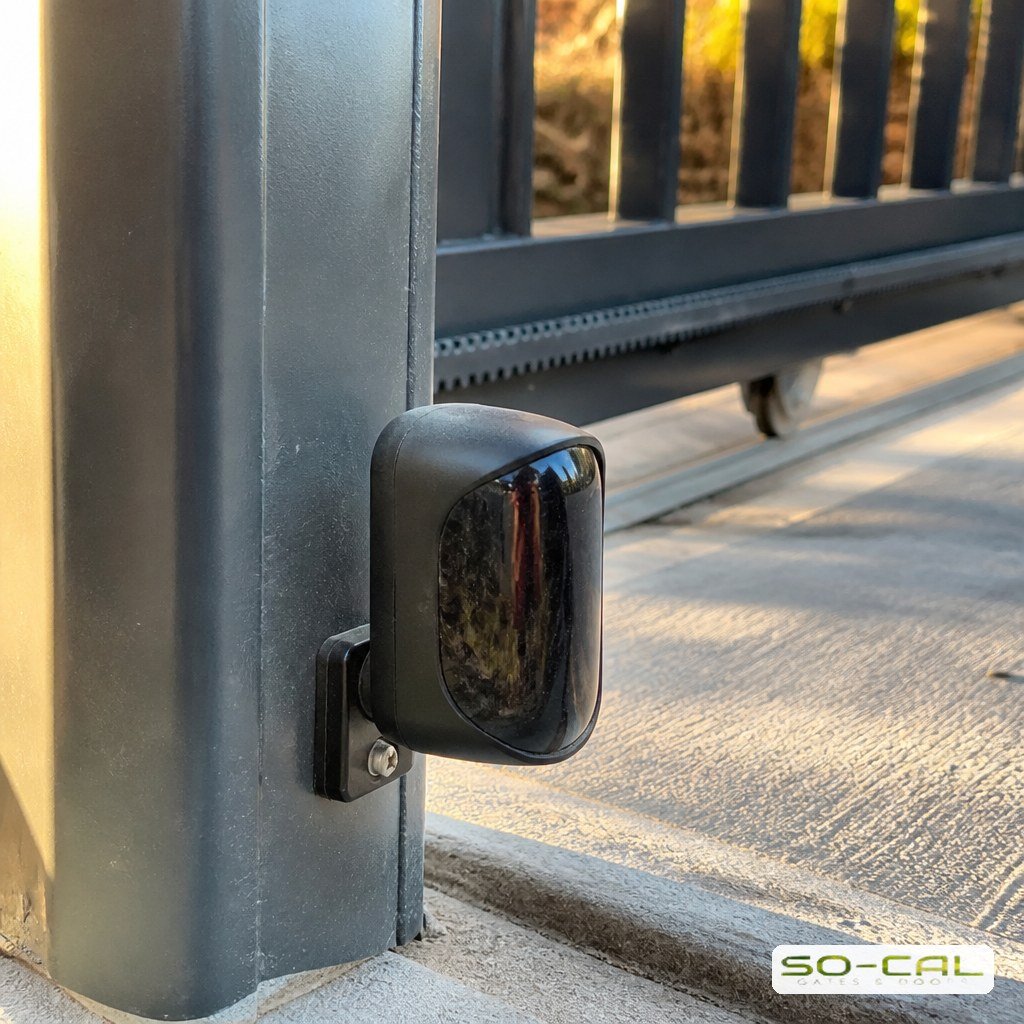
Bridging the sensor terminals is a common workaround, and it is the one step to refuse. UL 325 prohibits it outright: no modification may be made in the field — by connecting wires, terminals, switches, jumpers or components supplied with the operator or the device — to bypass, interfere with or otherwise defeat the monitoring function. A bridge also defeats one of the gate’s required means of entrapment protection. Wipe the lenses and any reflector instead — after a wind event, dust on a lens weakens the signal until the sensor reads blocked — check that the sensor’s alignment LED holds steady, then book safety sensor service in Riverside.
What the Two-Device Rule Actually Requires
Two requirements get run together here. Quantity first: section 32.1.1 of UL 325 calls for a minimum of two independent entrapment protection means per entrapment zone, and the note to Table 32.1 bars the same type from serving as both. Monitoring, described above, is the second, and it concerns condition rather than count. On a typical residential gate the two means are the operator’s own inherent sensing, which counts as one, plus one external device the installer added — a photoelectric sensor or a contact edge. You are not required to own both, and which you have decides what to inspect.
Inputs Before Motors: Remotes, Keypads and Loops
If an alarm sounded as the gate stopped, a second obstruction has latched the operator out: clear what the leaf hit and reset it as the manual directs. A press that clears that latch proves nothing about your remote. Otherwise, clear the gate path, then use the operator’s own buttons or a wall station from where you can watch all of it: press once and release to open, then once and release to close. Run both directions, because the fallback above is direction-specific: a faulted device drops only the direction it protects to constant pressure, so a gate with a dead close-side eye still opens fully on a momentary press. If both directions complete their travel from momentary presses, the drive and operator work, every monitored device has passed the operator’s own check, and the fault is in the input you were using — which on a gate is not one thing: the receiver and its antenna, the keypad on its post, the loop in the slab and the intercom’s dry contact each fail alone. If one direction runs momentary and the other only while held, the fault is a monitored device protecting that direction.
Remotes, Receivers and Keypads
If you have to hold a transmitter within a few feet of the receiver, a second remote settles which end is weak in ten seconds: if the spare works at normal distance, the fault is in the first remote, starting with its battery; if both fail, look for an antenna wire coiled back inside a metal enclosure where it cannot radiate. Keypads fail differently. A code rejected on every attempt points at lost memory rather than worn buttons; one that works at breakfast and fails at four points at a sun-heated enclosure. Persistent faults belong with remote and keypad service in Riverside.
Loop Detectors and the Gate That Will Not Close
A gate that opens on command and then sits open is being kept from closing. Check these four first. First, a loop: a ring of wire buried in the driveway slab, whose detector can latch into permanent detection and read as a vehicle that never left. With the driveway empty, a lit detect LED is your answer; a slab cracked through the line of the cut, or a crew that scored the wire while resurfacing, explains how. Second, an input still calling for open: a keypad, intercom or exit device holding its contact closed, its input LED lit with nobody there. Third, UL 325: after an obstruction stop or reversal by an inherent sensor or a contact edge, the timer-to-close stays disabled until reset. Fourth, a faulted monitored device on the close side, hidden by the open cycle because the fallback binds only the protected direction. With the whole path clear and in sight, hold the close button: if the gate closes while held but not on a press, the eye, the edge or the wiring there is the fault.
Pull the Manual Release and Move the Gate by Hand
The manual release is the most informative test you have, because it cuts the system cleanly in half. With the operator disengaged, a sound slide leaf rolls the length of its track smoothly and easily in both directions, and a sound swing leaf travels its whole arc without dragging or changing effort partway. If the gate fights you with the motor out of the picture, no electrical work will fix it.
On a slide leaf, check the stop at each end of the run: one that has sheared or worked loose lets the leaf overrun its end and jam there. For a swing leaf, sag is settled by measurement: with the gate closed, measure bottom rail to ground at the hinge end, then at the latch end. A latch end noticeably lower means the leaf has dropped, and that drop is what the drive has been fighting.
Stopping in the Same Place, or a Different Place Each Time
Where the gate stops is diagnostic, so record it. A gate that halts at the same point every cycle is reporting something physical, or a limit that has moved: a grit-packed length of V-track, a chipped tooth on the gear rack, a hinge that has settled under the leaf. Chalk the spot and inspect the track, rack and leaf right there. A gate that stops somewhere different each time points to an electrical cause — a sagging battery, a loose terminal, an intermittent sensor — because random faults do not respect position.
Where the Homeowner Half of This Job Ends
Everything behind the line-voltage cover belongs to a technician, as does every limit and force adjustment: those settings decide whether the gate stops on an obstruction or drives through it. Setting them by feel is how a gate that would not close becomes a gate that will not stop. Hand it over with your findings, not with a dead gate: a buried low-voltage splice corroded open in irrigation water says nothing from above ground, but a gate that dropped to hold-to-run the week the sprinklers were reset points straight at that run. For the residential side of that work, see electric gate repair in Riverside.
Conclusion: Work the Order, Then Hand Over What Is Left
That order — power, the input you pressed, the monitored safety devices, then the drive — rules out the quickest checks first. It is not a ranking of how often each part fails. Work down it and you will either finish the job yourself with a ground-fault reset, a lens wipe or a fresh remote battery, or arrive holding a reportable symptom instead of a dead gate. Call SO-CAL Gates & Doors at (951) 500-1806 to book an on-site diagnosis in Riverside, Corona or the surrounding Inland Empire.
Frequently Asked Questions
My gate only moves while I hold the button. Is the motor failing?
Not on that evidence: a motor cannot tell a held button from a tapped one. On an operator manufactured after 11 January 2016, UL 325 requires every external entrapment protection device to be monitored every cycle; when one goes missing or faults, the operator must then run only on constant pressure in the direction that device protects, or move only by hand. Inspect the photo eyes, the edge and their wiring first.
Can I disconnect the safety sensors to get the gate working again?
No. UL 325 prohibits field modifications that bypass, interfere with or defeat the monitoring function, jumpers across sensor terminals included. It also strips the gate of entrapment protection it is required to have. Repair the device or its wiring; never bridge it.
The gate opens but no longer closes by itself. What changed?
Check these four first. A loop detector may have latched, reporting a vehicle that is not there; check its LED with the driveway empty. A keypad, intercom or exit device may be stuck calling for open. After an obstruction stop or reversal by an inherent sensor or a contact edge, UL 325 keeps the timer-to-close disabled until reset. Or a monitored device on the close side has faulted: the fallback binds only the protected direction, so the gate opens normally and closes only while held.
How do I tell a mechanical fault from an electrical one?
Use the manual release and move the gate by hand. If it drags, binds or fights you with the operator disengaged, the fault is mechanical and electrical work will not help. Then watch where it stops under power: the same spot every cycle points to a physical cause or a moved limit, a different spot each time points to electrical.
What is genuinely safe for me to check myself?
The breaker and the ground-fault device serving the operator, the date on the backup battery, the low-voltage terminal strip with its cover open, photo eye lenses and alignment, visible wiring, the track and hinges, and the manual release test. Leave the line-voltage compartment closed, leave limit and force adjustments alone, and never stand in the gate path while testing.
What should I write down before I call for service?
What you pressed and what the gate did, whether an alarm sounded, whether it ran from a momentary press or only while held, which input LEDs were lit and which dark, any code on the display, where the gate stopped and whether it stopped there twice, and how the leaf moved on the manual release. That list turns a service call into a diagnosis.