

Gate Opener Repair: Why Your Opener Stopped Working
When an automatic gate stops responding, the instinct is to assume the motor has died and brace for an expensive replacement. In practice, most gate opener repair calls trace back to a handful of ordinary causes, and several of them cost nothing to fix. This guide walks through the common failures in the order a technician would check them, what you can safely investigate yourself, and the point at which it makes sense to stop and call someone.
Start With the Simple Causes
Before anything else, rule out the two things that account for a surprising share of service calls. Check whether the remote battery has died, which is easy to confirm by trying a second remote or the keypad. Then check whether the operator has power at all, since a tripped breaker or a GFCI outlet that has kicked out looks exactly like a dead motor from the driveway.
If the gate opens from the keypad but not the remote, the problem is the remote or its programming rather than the operator. If nothing works at all and there is no hum or movement, suspect power before you suspect the motor. Confirming these first costs five minutes and often ends the investigation.
Common Gate Opener Repair Issues
Beyond power and remotes, four causes dominate the service calls we see. They present differently, which makes them fairly easy to tell apart once you know the symptoms.
Safety Sensor Problems
If your gate opens fine but refuses to close, or starts closing and immediately reverses, look at the photo eye sensors before anything else. They are designed to stop the gate when something breaks the beam, and they cannot tell the difference between a child and a cobweb.
Dust, spider webs, and rain spots on the lens all trigger false detections, and so does misalignment if a sensor has been knocked out of position. Wiping both lenses clean with a soft cloth and confirming they face each other squarely resolves a large share of these calls without any parts at all.
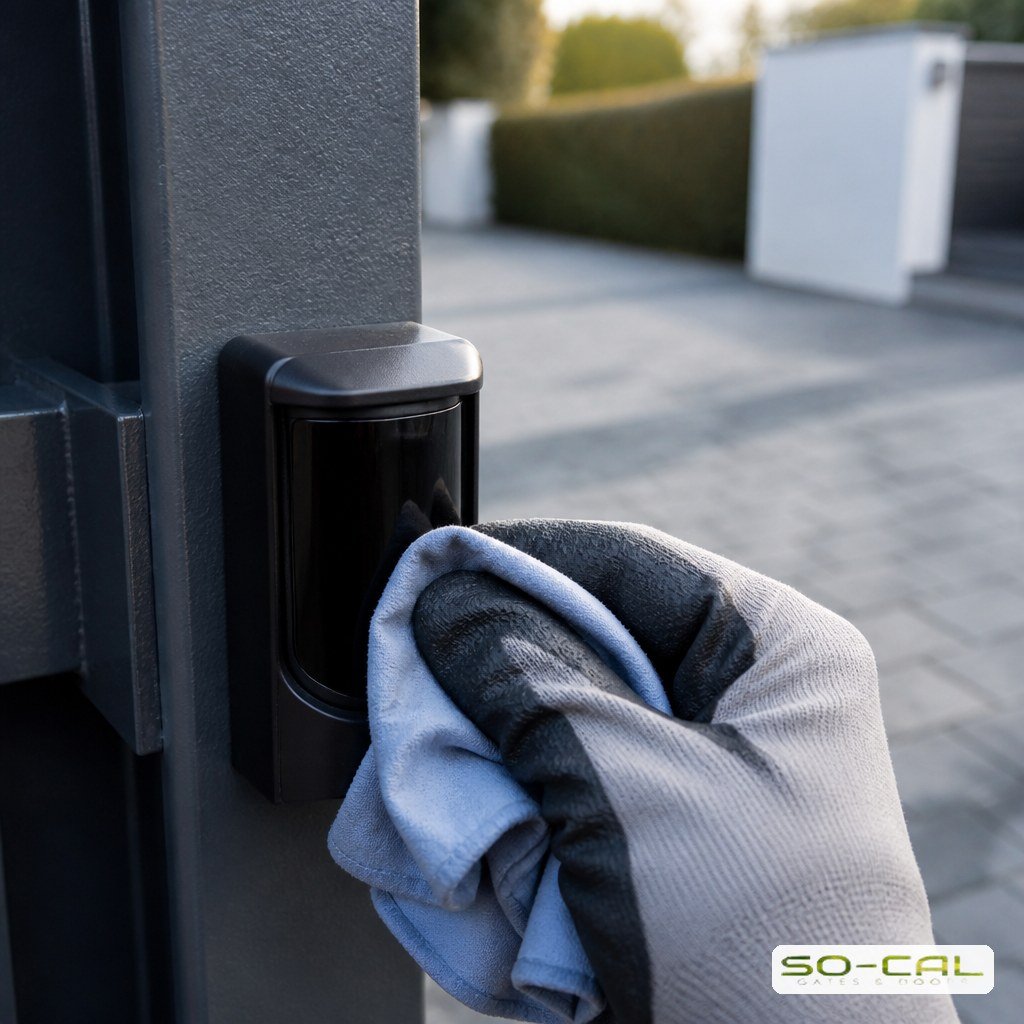
Track and Mechanical Obstruction
A sliding gate that judders, slows, or stalls partway is usually fighting something physical rather than failing electrically. Dirt, gravel, and leaves accumulate in the ground track, rollers wear flat, and dry hinges bind on a swing gate.
Reading the Mechanical Symptoms
The way a gate misbehaves points fairly reliably at the cause, which saves guessing.
Grinding or Scraping Noises
Noise almost always means friction. Debris in the track, a worn roller, or a hinge that has lost its lubricant forces the motor to work harder than it should. Clearing the track and lubricating moving parts often restores normal operation immediately.
Slow or Hesitant Movement
A gate that has gradually become sluggish is telling you the load has increased or the motor has weakened. Check for physical resistance first. If the gate moves easily by hand with the operator released, the problem is more likely electrical or in the motor itself.
Stopping at the Same Spot
A gate that halts consistently at one point is worth inspecting at exactly that point. Something there is obstructing it, a roller is failing, or a limit setting has drifted. This is one of the most diagnosable symptoms there is, because the gate is showing you where to look.
Power and Battery Failures
Backup batteries wear out on a schedule most owners never track, and the failure is invisible until an outage arrives and the gate does nothing. If your gate works on mains power but dies the moment the power does, the backup battery has almost certainly reached the end of its life.
Solar powered operators add their own variables. A panel shaded by a growing tree or coated in dust collects far less energy than it should, and the symptom is a gate that works fine in the morning and gets progressively weaker through the week. If the operator itself turns out to be undersized for the gate it drives, replacement rather than repair is often the honest answer, and a proper automatic gate installation assessment will say so plainly.
Control Board and Motor Faults
When power, sensors, and mechanics all check out, attention turns to the control board and the motor. Boards fail from heat, moisture intrusion, or power surges, and the symptoms range from intermittent response to complete silence. Motors usually announce themselves first by running hot, slowing under load, or humming without moving.
This is the point at which do it yourself troubleshooting should stop. Diagnosing and replacing these components involves mains wiring and precise force and limit programming afterwards, which is genuinely a job for a technician with the right equipment. Professional gate opener installation and service covers both the diagnosis and the correct setup after any replacement.

What You Can Check Safely Yourself
Working through this list in order resolves a good proportion of problems and gives a technician useful information if you do end up calling:
- Try a second remote and the keypad to isolate the transmitter
- Check the breaker and any GFCI outlet serving the operator
- Wipe both photo eye lenses and confirm they face each other
- Clear the track of debris and check rollers for wear
- Lubricate hinges, rollers, and moving joints
- Test the backup battery by simulating an outage if you can do so safely
Never bypass or disconnect a safety sensor to make a gate close. It is the device that stops the gate on a person or a vehicle, and disabling it converts an inconvenience into a genuine hazard. If the gate will not close with the sensors working, that is exactly the moment to call for service.
Preventing the Next Failure
Most gate opener repairs are the end of a slow decline rather than a sudden event. Keeping the track clear, lubricating moving parts, cleaning the sensors, and testing the backup battery a few times a year prevents the majority of them, and the routine takes very little time.
An annual professional service adds the checks an owner cannot easily perform: force and limit calibration, electrical connection inspection, and wear assessment on the drive components. For a gate that runs every day in our heat and dust, that yearly visit is inexpensive compared to an emergency call and a failed motor. The same visit is a good moment to review the entrance as a whole, including the condition of the gate itself and any access control hardware that has been added over the years.
Conclusion: Diagnosing Gate Opener Problems Sensibly
Effective gate opener repair starts with the simple causes and works outward: remote and power first, then sensors, then mechanics, then the board and motor. Most problems are resolved long before the expensive components come into question. When you reach genuinely electrical territory, hand it over rather than guessing. Need a diagnosis you can trust? Call SO-CAL Gates and Doors for a free assessment and an honest repair recommendation.
Frequently Asked Questions
Why does my gate open but not close?
Almost always the safety sensors. Photo eyes stop the gate closing when something breaks the beam, and dust, cobwebs, rain spots, or misalignment all trigger false detections. Wipe both lenses clean and confirm they face each other squarely. Never disable a sensor to force the gate closed.
My gate opener is completely unresponsive. What should I check?
Start with the remote battery, then try the keypad to isolate whether the transmitter or the operator is at fault. Next check the breaker and any GFCI outlet serving the gate. A tripped circuit looks identical to a dead motor from the driveway, and it is a far more common cause.
Why has my gate become slow and noisy?
Friction, in most cases. Debris in the track, worn rollers, or hinges that have lost lubrication force the motor to work harder, which shows up as noise and sluggish movement. Clearing the track and lubricating moving parts often restores normal operation. Persistent slowness after that suggests a motor issue.
How long do gate opener batteries last?
Backup batteries typically last a few years, and they fail invisibly since the gate keeps working on mains power. If your gate stops the moment the power does, the battery has reached the end of its life. Testing it periodically is worth doing, since an outage is the worst time to discover it.
When should I call a technician instead of troubleshooting?
Once you have ruled out remotes, power, sensors, and mechanical obstruction, the remaining causes involve the control board or motor. Those require mains wiring work and precise force and limit programming afterwards. That is the point to stop, along with any situation where the gate behaves unpredictably.